Windows 11 now runs on a billion computers, but one central component is problematic. What really bothers many users is the new start menu.
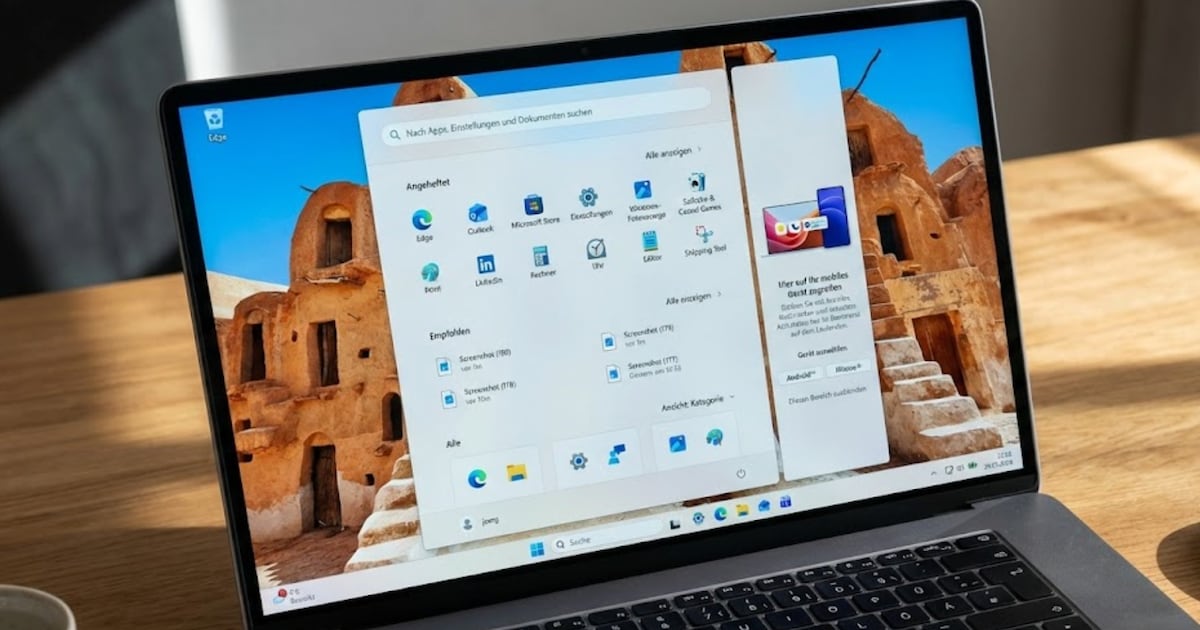
With Windows 11 25H2, Microsoft has the Start menu extensively revised, too. But not all users have seen the new functions yet; according to Microsoft, they are in a gradual rollout. But the spread seems to be increasing, as there are more and more complaints about the new start menu. For many users it is simply too big.
Loud Microsoft’s design team The start menu should carry the original promise of the function into today, i.e., bundle everything you need as a Windows user in one place. The focus was on four guiding principles:
- Find apps faster: All installed programs should be accessible at a glance.
- More personalization: Users should be able to customize the menu as they need it.
- Speed up everyday life: every pixel of the menu should be used sensibly.
- Preserve tradition: The usual operation remains the same but is modernized.
But apparently it didn’t quite work out that way.
The start menu becomes significantly larger

The visible result for users who already have the update is a significantly larger start menu. Users report that the menu takes up around three-quarters of their screen after opening it, which is almost overwhelming, especially on compact notebook displays.
This is significantly more than with previous versions of Windows and, according to many users, leads to a feeling of overload and inefficiency. The new features don’t make it any better:
Microsoft calls this a new, fresh start for a feature that has been a core element of Windows for more than 30 years, this time shaped by extensive user feedback and modern design methods. But something important seems to have been overlooked.

We think the new start menu is quite successful, and the problem isn’t noticeable on large displays, but Microsoft could still fix it quite easily. Windows lacks a function to flexibly resize the Start menu, as was possible with Windows 10.
Because even if you deactivate individual areas such as the recommendations, the main area of the menu remains as large as before. It seems too massive, especially on smaller displays.
A workaround could be the general scaling of Windows, but this not only changes the size of the start menu but also affects the display in Windows as a whole.
Activate new start menu

If you don’t have the new start menu yet, you absolutely need Windows 11 25H2 with the latest updates. If it still doesn’t show up, this will help ViVeTool. Download the zip file and unzip it locally. Then open a command line with admin rights and go to the new folder.
The command vivetool /enable /id:47205210 unlocks the new Start menu for you. You will see it after restarting Windows.
Alternatives to the Start Menu

For many users, the start menu is no longer as important as it used to be. Because there are numerous alternatives. For example, you can use a launcher to start programs. Microsoft has such a tool also integrated in the PowerToys.
Also, third-party tools like Ueli or SyMenu can replace the start menu. Because many users have been dissatisfied with the original start menu for a long time, there is a large selection here.
There is currently no classic resize button with which the entire start menu can be freely adjusted in size, and Microsoft has no plans to introduce it in the short term.
About the Author